Install with our Launcher
Install Launcher
This is probably the most simple way to install the mod and its made for everyone.
-
You need to download the launcher from our website here.
-
Start the
.exeand allow it to runWindows warns you since we cannot afford a certificate for the file. Click "More info" and then "Run anyway" like shown below
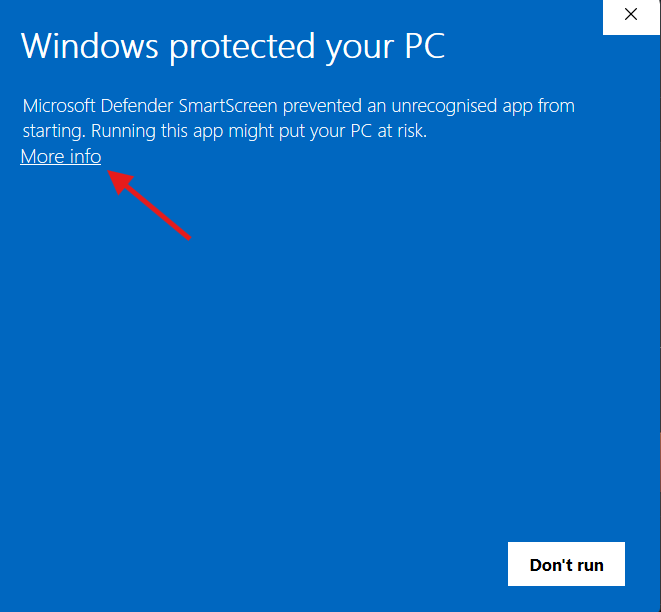
1. Click More info 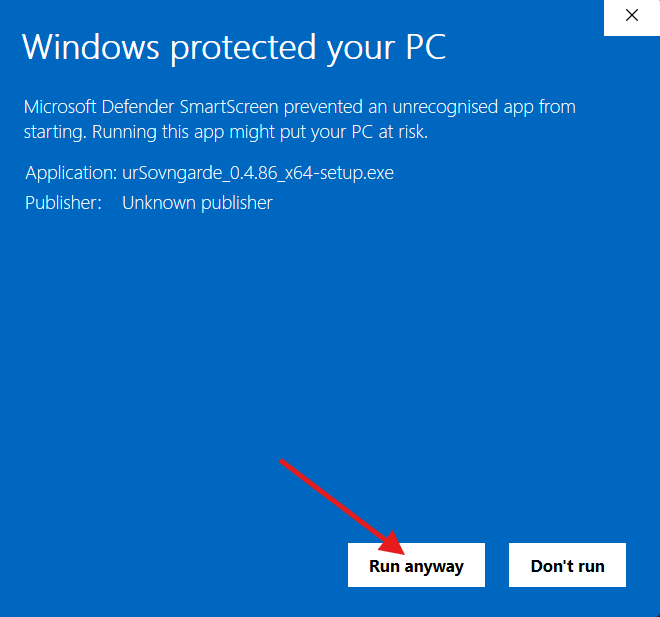
2. Then Run anyway -
The launcher has probably found the install directory of Skyrim and Mod Organizer 2 or Vortex. You can change that paths anytime on the settings (if you have different MO2 installs you have to select it manually).
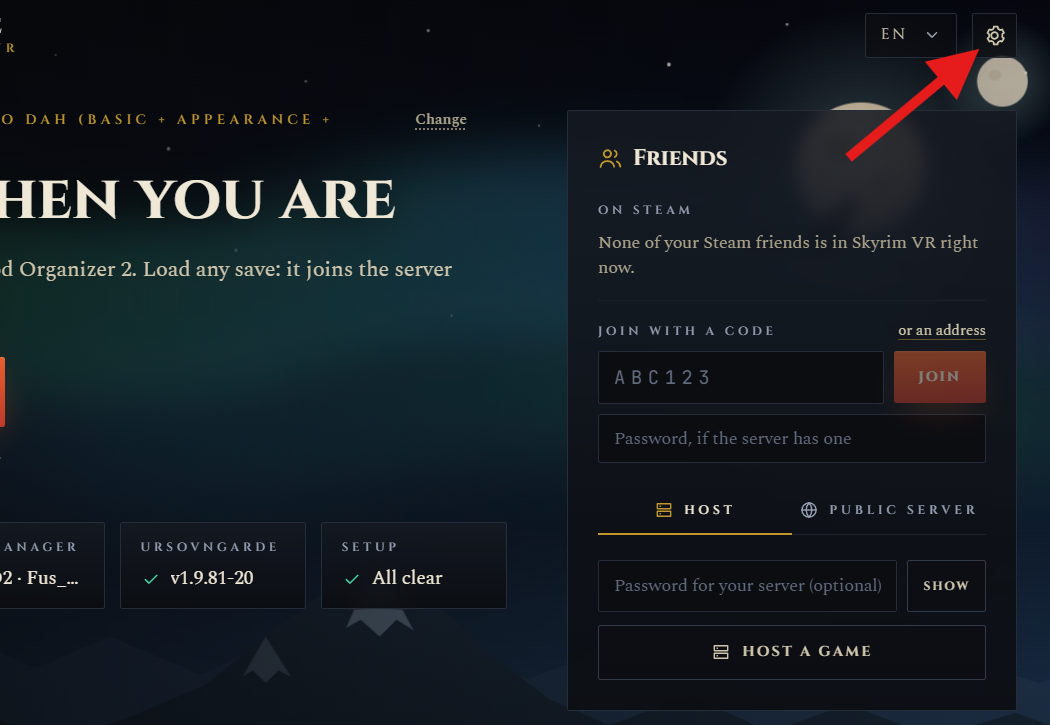
Open Settings 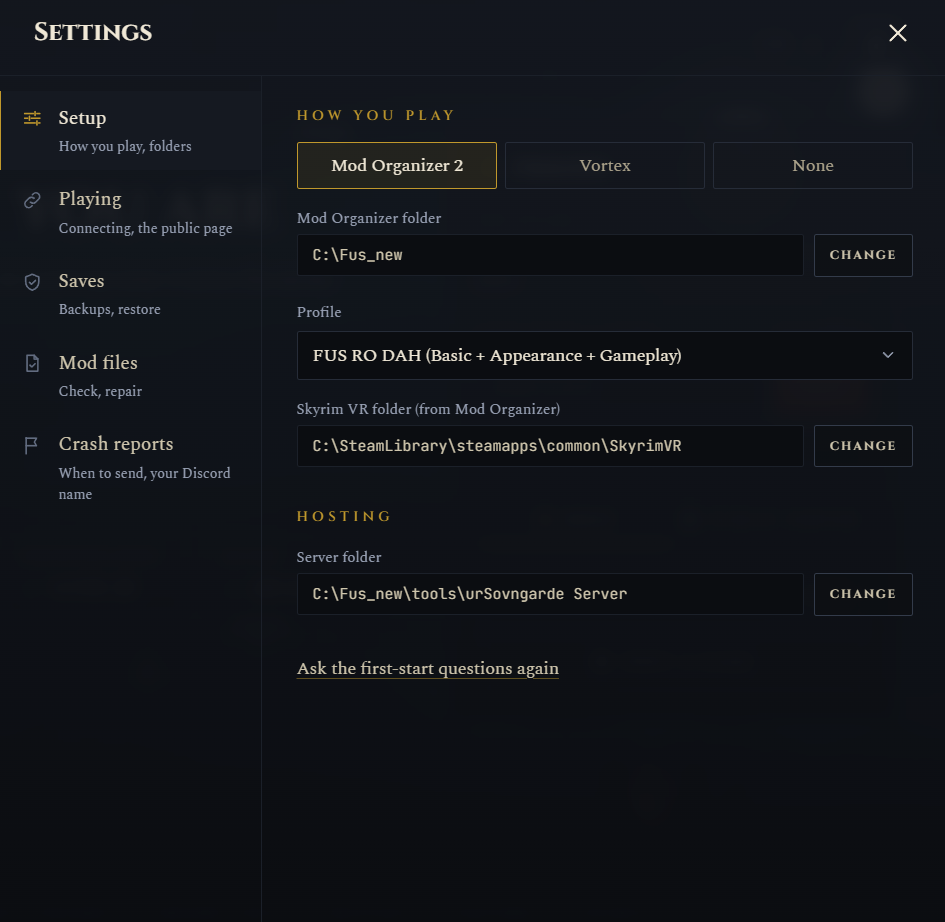
How its suposed to look like -
After your paths are selected you can press install. It downloads the mod to your selected location, creates the tools needed and makes all changes needed on the Mod Organizer
-
The launcher runs a check if everything is in place and shows you if there is any error. Everything should light up green, if you have any issue report to here. Also the "Install" buttons should change to play now.

All clear -
The Play button starts your game with your selected modding type and mods.
If you want to start a multiplayer session, you can press "host a game", other players can either join by being your steam friends or you can share an invite code to them.
-
Everything is ready now, you can enjoy the game with your friends
Its recomended that both players have the same mods/modlist, passed the intro and left helgen before they join each other. This avoids some bugs that we haven't fixed yet.
About the Launcher
The launcher does more than just installing the mod. Here is what it does for you and why its good to use it.
Your saves
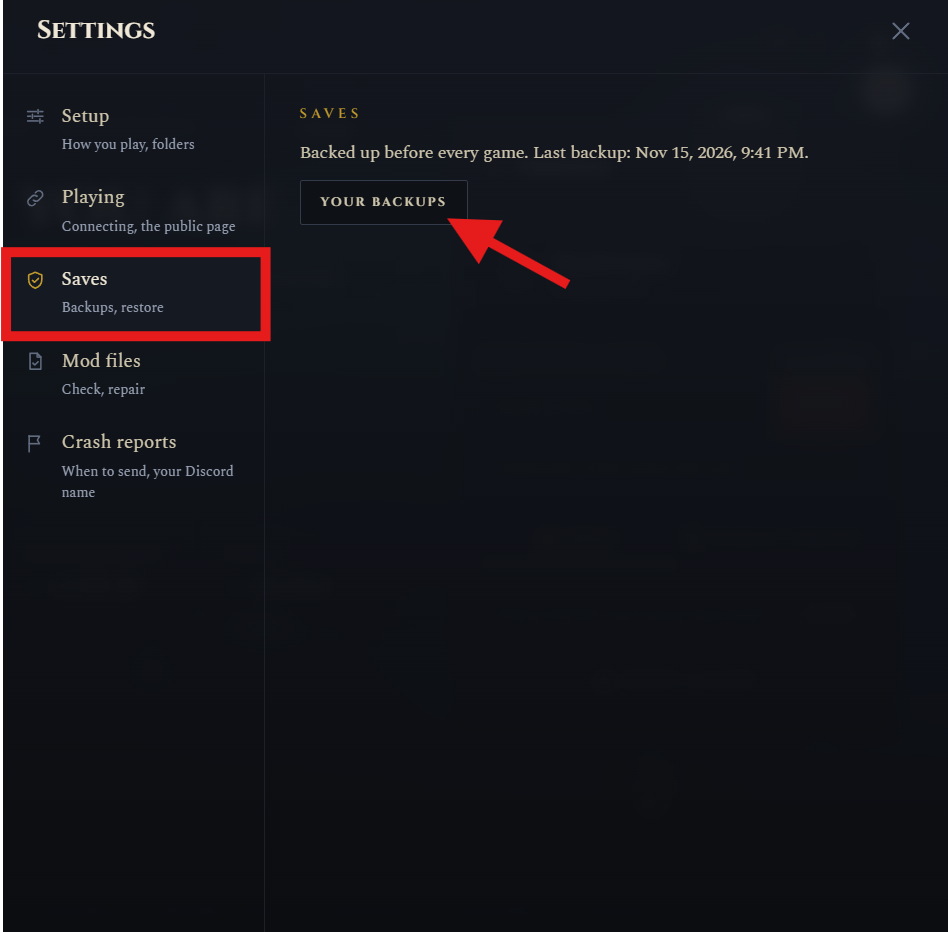
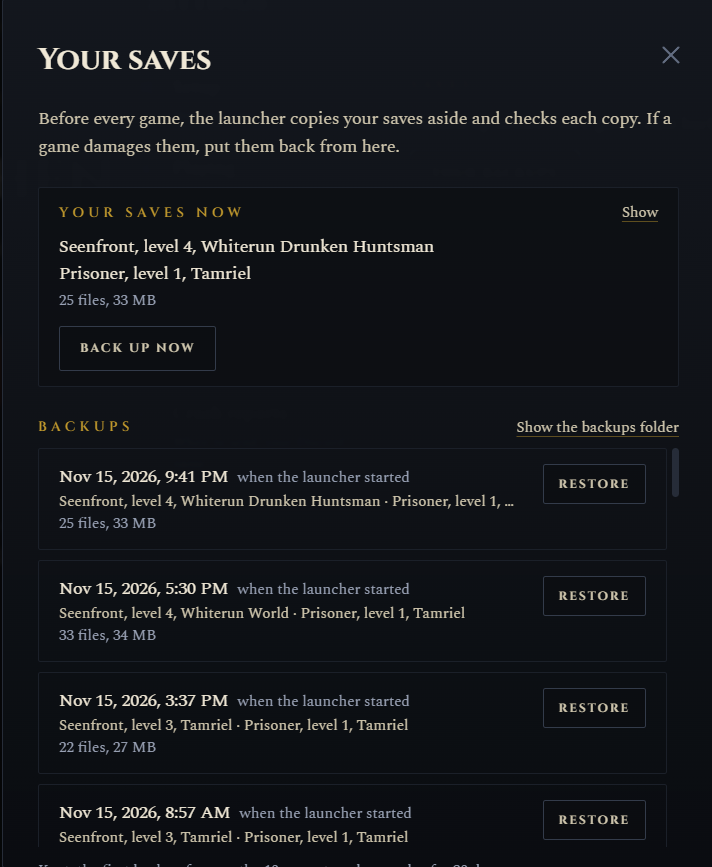
Before every Session the launcher makes a backup of your saves. If something goes wrong with a save you can load a backup from the settings. You can restore different saves from there or create a fresh manual backup if you are worried. So far we didnt had to use it but better to have it than to need it.
Updates
When there is a new version the launcher tells you and Update puts it in place. The launcher updates itself the same way so you dont need to download it again from our website.
Checking your setup
The launcher checks your setup for problems we already know about, for example setups that are known to crash. If it finds something it tells you what is wrong and how to fix it.
Playing together
In Friends you can host a game and get a six letter code for your friends, or join a friend with their code. Your steam friends who host a game show up there aswell and you can just press Join. Hosting goes through our relay so you dont have to open any port on your router. More about that on the hosting page.
When it crashes
After a crash the launcher asks you if it can send us a report. Your names and addresses are taken out before it gets sent. Please say yes, its the best way for us to find out what went wrong. What exactly gets sent you can read on our privacy page.