Install with Mod Organizer 2
If you dont use any mod manager you can still install it, you just need to copy the files yourself. If you want it more easy then use our launcher, it does all of this for you. Overall this way is not recomended since it opens up for user errors and using a mod manager is generally easy and works.
If you prefer to not use the launcher and manually install it with Mod Organizer 2 then these are the steps you should follow:
Installation
-
Download the full package from here
-
Open Mod Organizer 2
-
Now that you have
urSovngarde-version.zipready, unzip it and rezip the urSovngarde mod folder. Now on Mod Organizer click on the top left "Install a new mod" and select the urSovngarde Mod.zip you just created.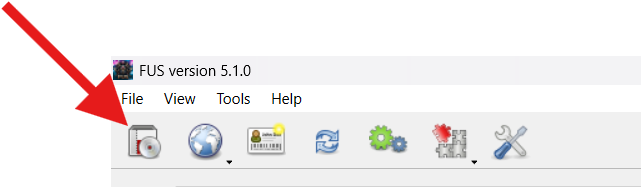
Click install a new mod 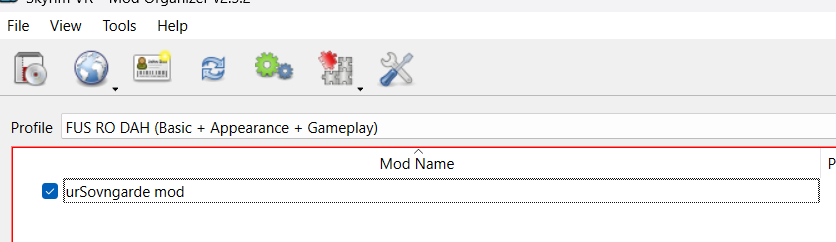
Make sure the mod is ticked -
Tick the
SkyrimTogether.espon the plugin list on the right
Tick the SkyrimTogether.esp From the
.zipcopy/move theurSovngardefolder to your tools folder. If you want to host copy the Server folder aswell. You can rename it tourSovngarde Serverif that is preferred. If you dont have that folder create it.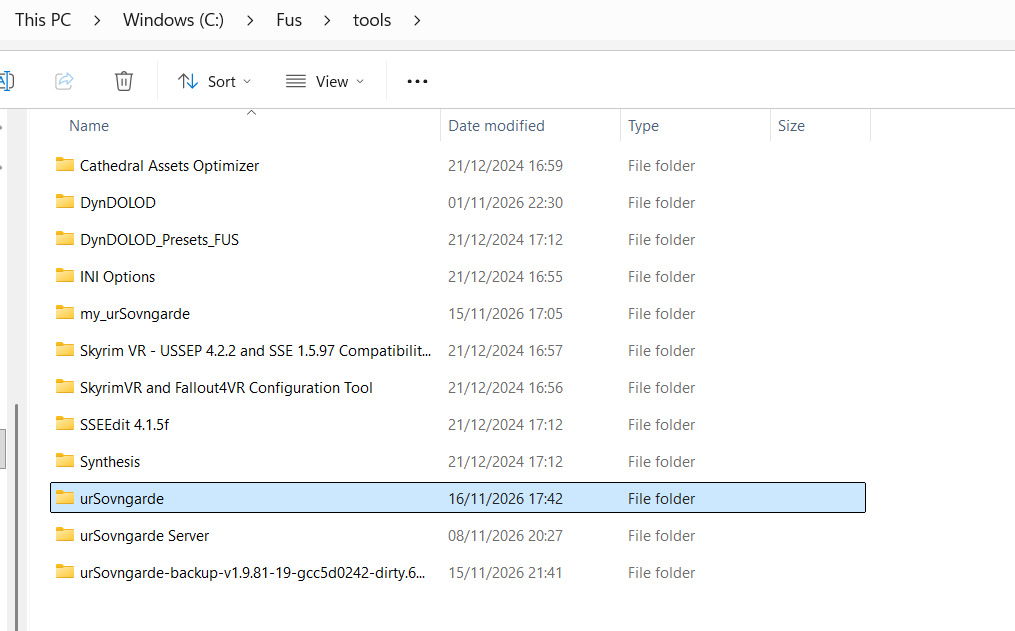
This is how it looks like normally -
Now you need to add the new tool to Mod Organizer 2. Open the list of tools at the top next to "Run" and click on "<Edit...>". In the window that opens click on the + and then on "Add from file...". Select the
urSovngarde.exein yoururSovngardefolder. At "Start in" select your Skyrim VR folder (where theSkyrimVR.exeis) and tick the box "Force load libraries". Then click on "Apply" and "OK". Now select the new tool in the list and press "Run"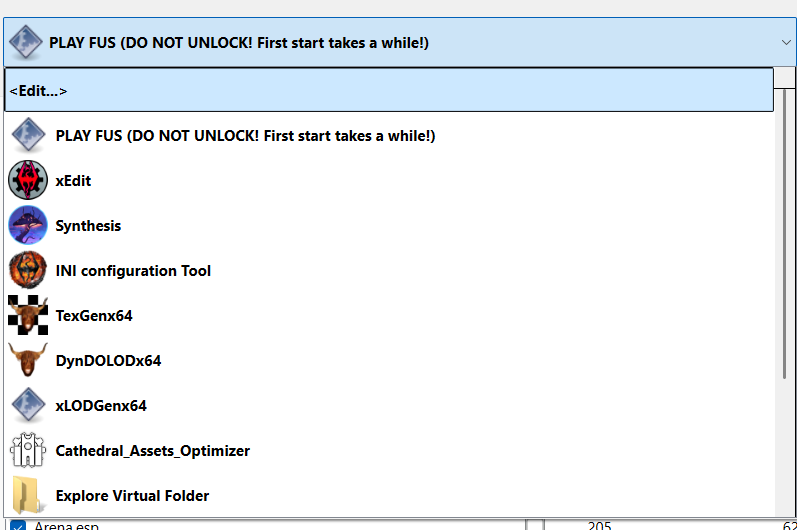
1. Edit the tools 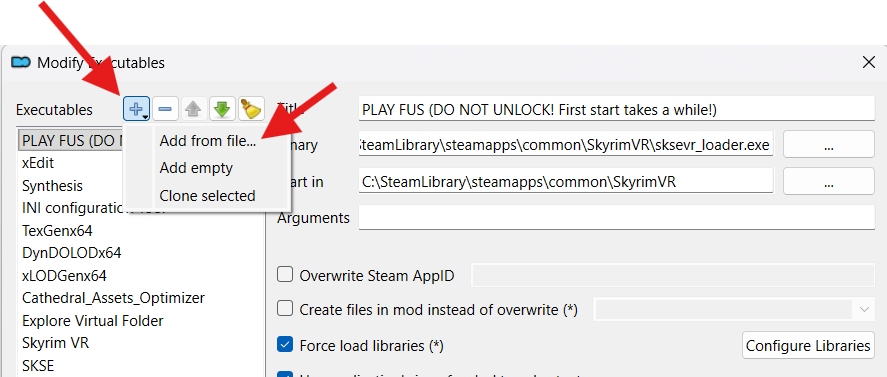
2. Add executable from file 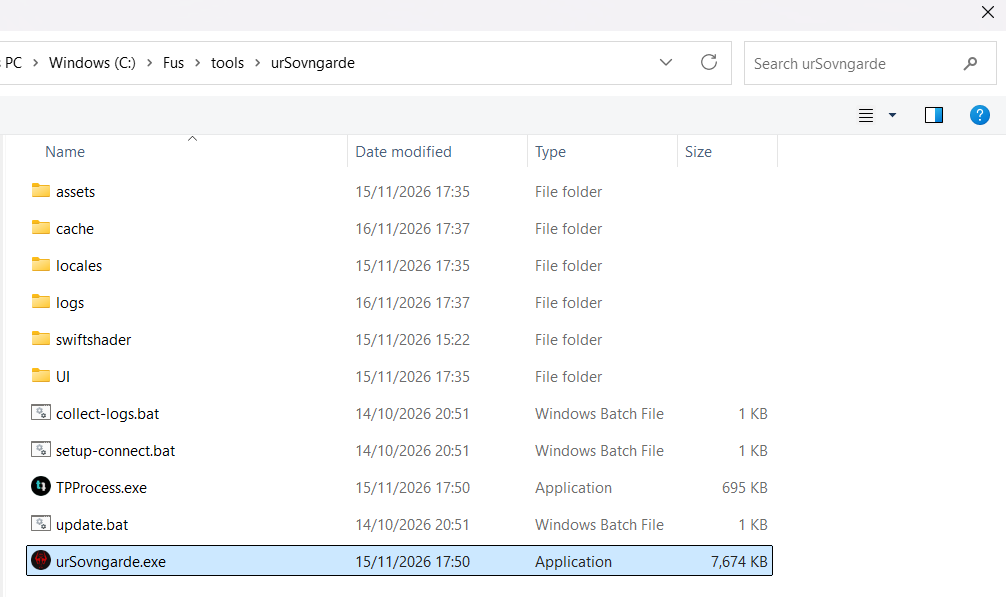
3. Select urSovngarde.exe 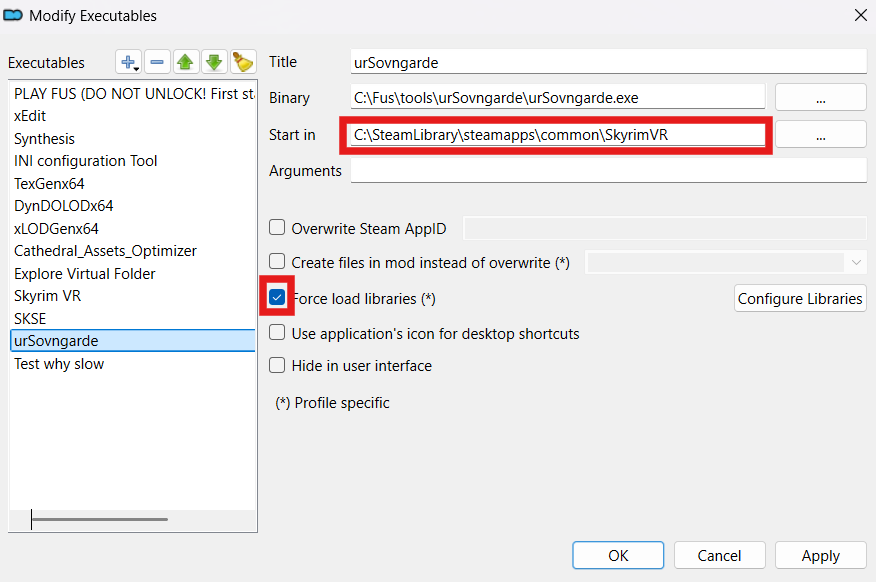
4. Make sure it looks like here 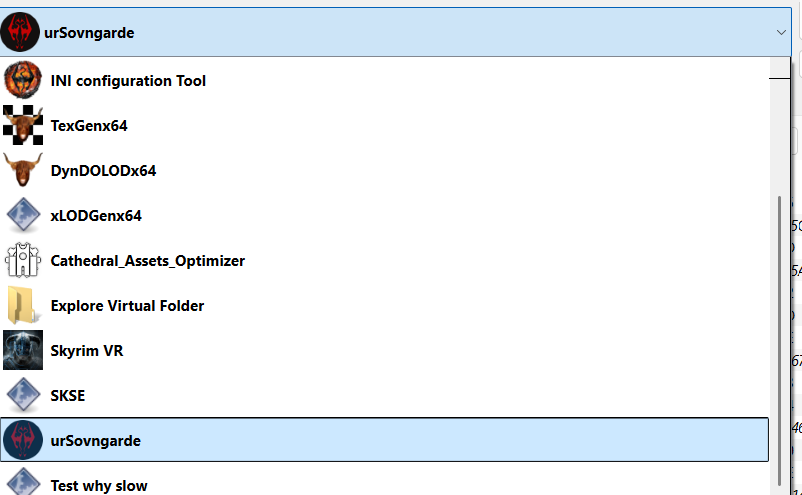
5. Select the new tool on the list To play with the mod the game needs to be launched with the tool selected and not with any other tool.
Now you are ready to play and join your friends. How that works you find here: Joining a game.
Updating
-
If you have not updated in a long while it is recommended to replace it fully with the install guide. Download the full package, replace the mod and the files in tools folder.
-
For a normal update because of a bugfix you can download the "Update only" file from our Download page. There are only the files listed that you need to replace.
-
In the update there is the
urSovngarde.exe, replace the old one in yourtools\urSovngardefolder with it. There is also aSkyrimTogetherVR.exein it, that one is only for installs from the early development and almost nobody still has it. If you dont have aSkyrimTogetherVR.exein aSkyrim Together VRfolder you can just ignore it. -
The
urSovngarde.pdbgoes into the sametools\urSovngardefolder. TheSkyrimTogetherVR.pdbyou can ignore like theSkyrimTogetherVR.exeabove. -
If there is a folder named
urSovngardeModthen you need to move the contents of this folder into themodlist\mods\urSovngardeModdirectory. -
Now everything should be in place and working. With the launcher this process is easier (automatic).