Joining a game
Cette page n’est pas encore traduite. Vous lisez l’original en anglais.
Joining friends with the launcher
With the launcher it is pretty easy to join your friends. If you are friends with them on steam you will see as soon as they host via the launcher. Then you can just press join and you can connect.
Otherwise they need to send you a code which you need to use on the launcher at "Join with code". Just paste it there and press join.
The join button can be pressed before starting the game and it will start your game then. If you are already ingame or in the main menu then you can still press the join button on your friend or the code. You will still be directed to the correct server after loading your safe.
If you already loaded your safe you need to press F6 to connect now.
Joining public servers
There is 2 ways to join public servers.
-
Easy you can just click on "public server" on the launcher and then click "Join the public server". That way you will automatically join the public server once you loaded your safe.
-
More options and still easy:
-
First start the game and load into your safe that you want to join with
-
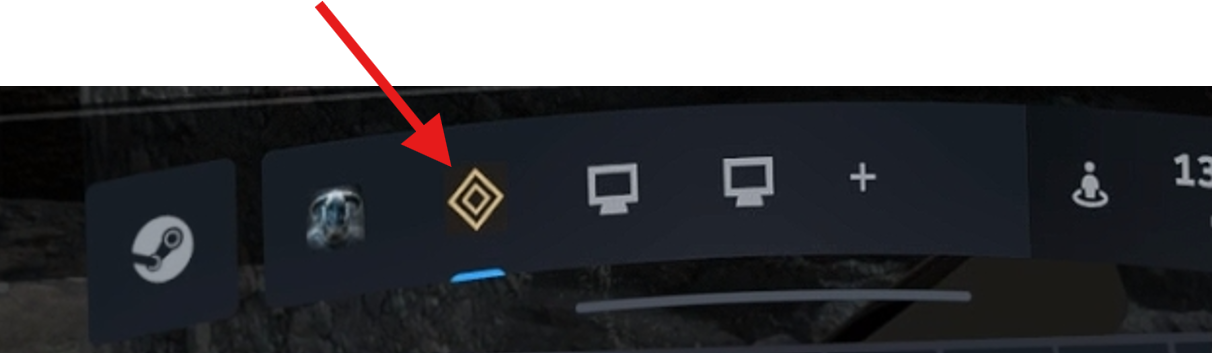
Then open the steamVR menu and switch to the urSovngarde menu (there is many options around the mod there)
-
There click on "public servers"
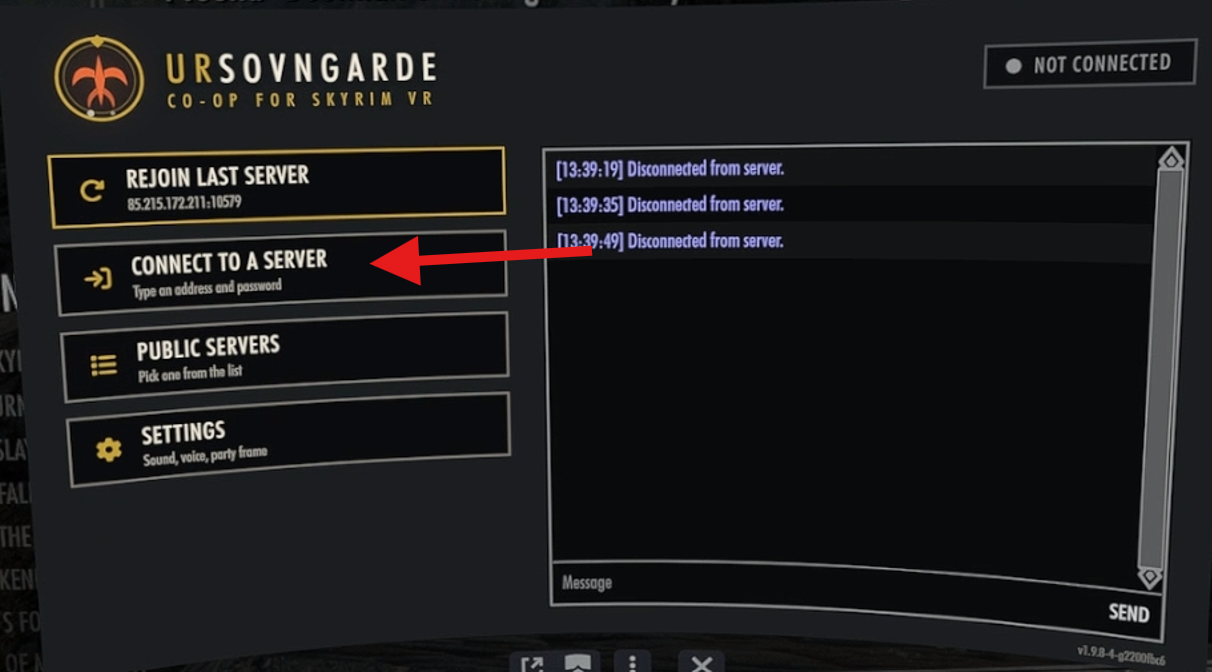
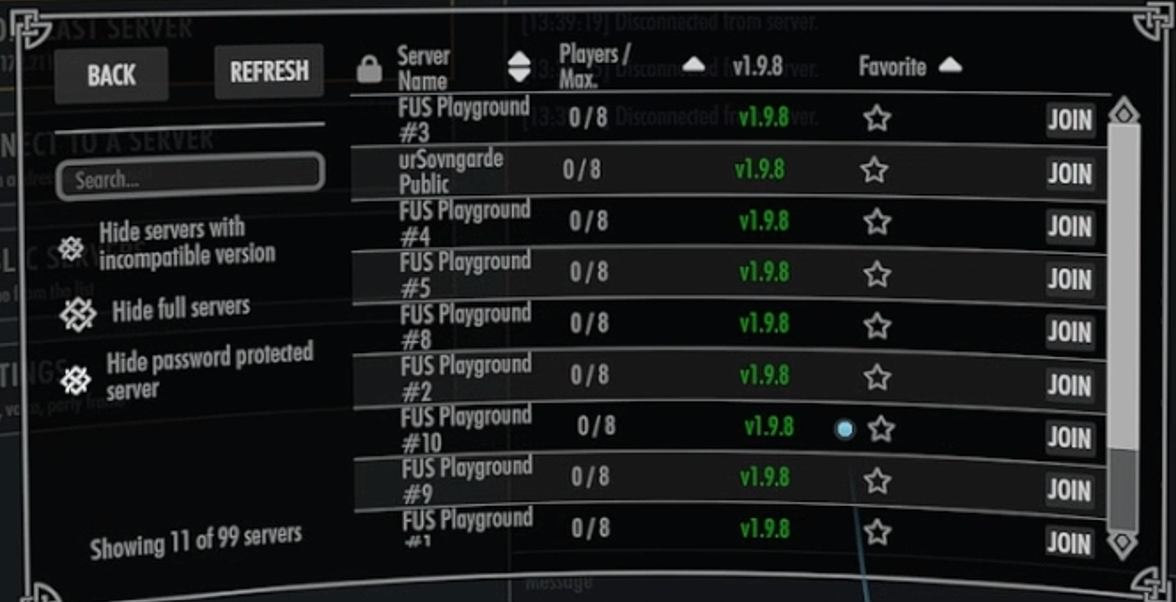
- Now on the list of servers select one you want to join to. urSovngarde public is hosted by us and the FUS servers are from the creators of the FUS modlist and also can be fully trusted!
-